What's New in iGPA: Enrollment Tags, an Embeddable Calculator, and an AI Transcript Reader
iGPA July 2026 update: Admitted and Enrolled tags on calculation history, an embeddable GPA calculator with lead capture for your admissions page, and an AI transcript reader built with compliance in mind — iGPA never stores uploaded files.
A GPA report tells you a number. It does not tell you what happened next. Somewhere between the calculation and the class roster, a team decided to admit, a student decided to enroll, and someone showed up, or did not. That gap between calculated and enrolled is where we've been building this quarter.
Here's what shipped, and why.
Admitted and Enrolled
Your calculation history dashboard already gives you rich data insights: who the applicant is, where they're from, when the report was created, what GPA they received and so on. The new enrollment stage tags, Admitted and Enrolled, make those insights richer by letting you filter the same data by outcome.
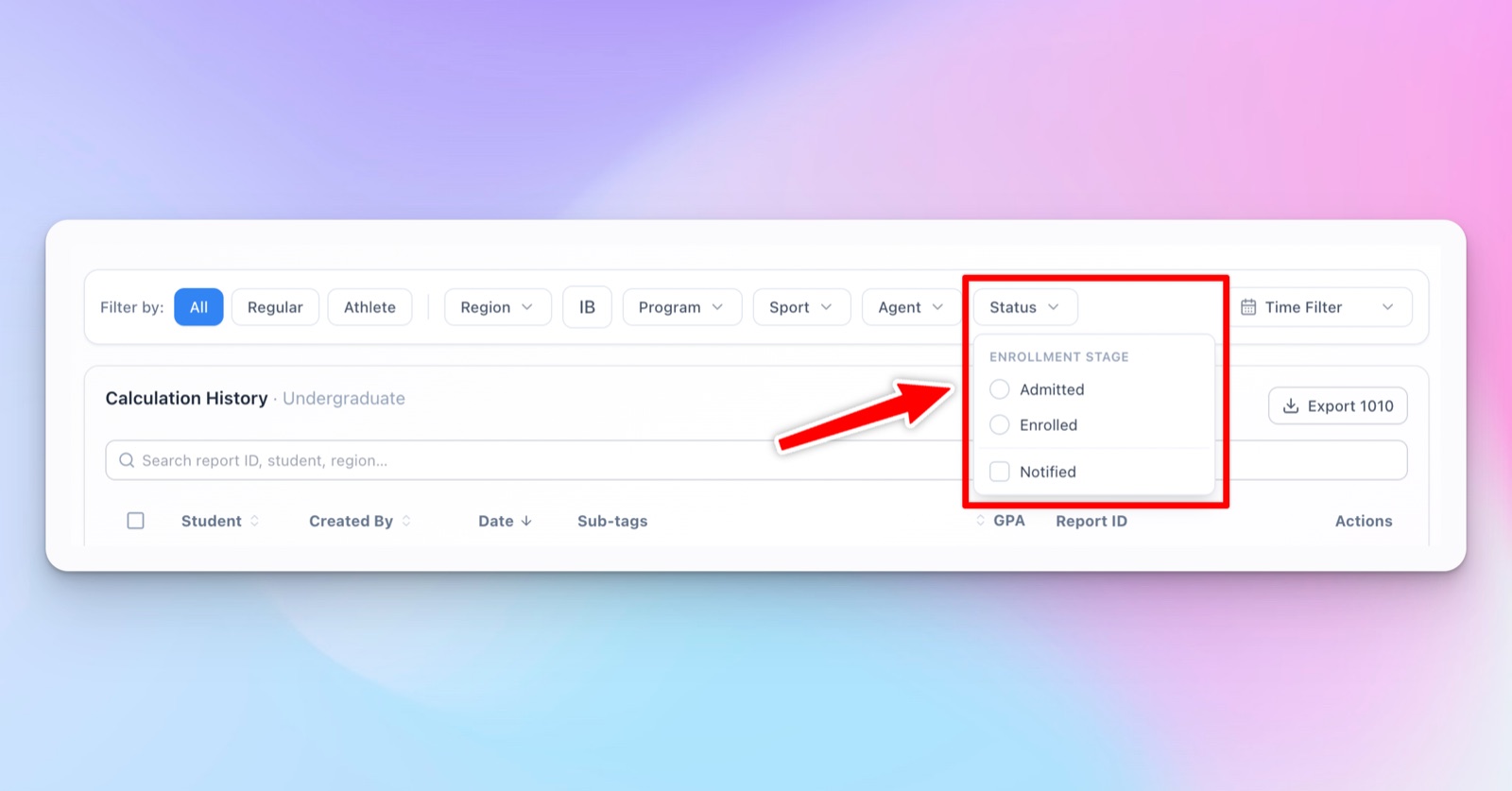 Filtering calculation history by enrollment stage.
The reason is simple. At the end of each recruitment cycle, the question isn't just how many applicants came from a given territory. It's which territories contributed to the application pool and which of them produced yields. Without that distinction, your team is looking at volume; with it, you're looking at outcomes.
Embed the calculator, not just the link
Here's the problem the embed solves. An international applicant visits your admissions page, reads your GPA and merit scholarship requirements on the U.S. 4.0 scale, and has no idea whether they qualify. Some will dig through your site for a conversion tool. Most will leave, and you'll never know they were there.
The embeddable calculator sits on your own page, your branding, your colors, your domain, so that visitor can gauge their qualification right where they found the requirement.
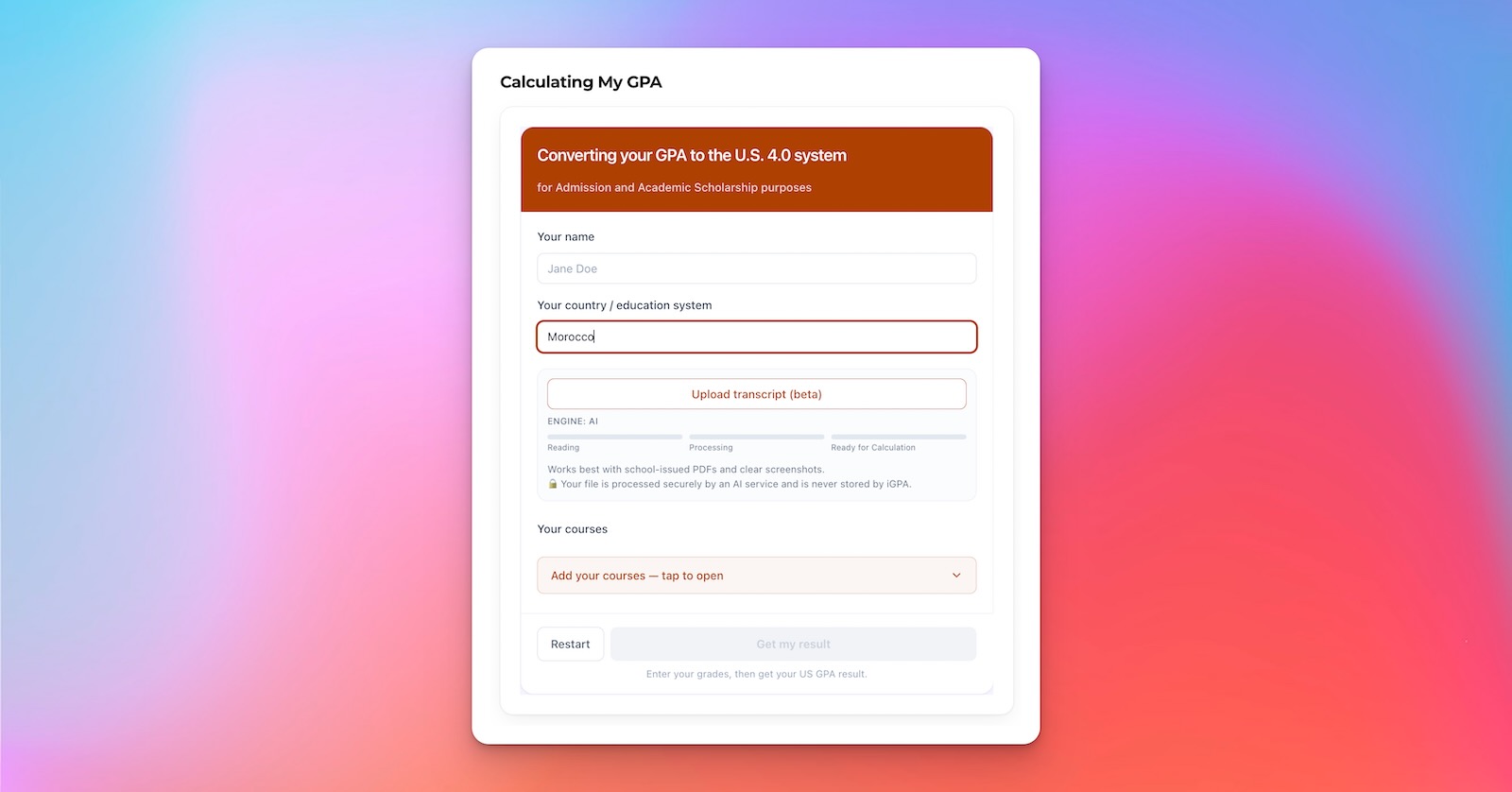 A branded calculator, live on your site, updating as you configure it.
A visitor searches their country, picks a grading scale, and works through their courses. Once a visitor completes the calculator they receive a report in both an email and a downloadable PDF, and it will also leave a record in your Embed Leads table so your team can follow up. The leads page also gives your office awareness of who's visiting and interacting, which helps when planning where to put your recruitment and marketing resources as you go.
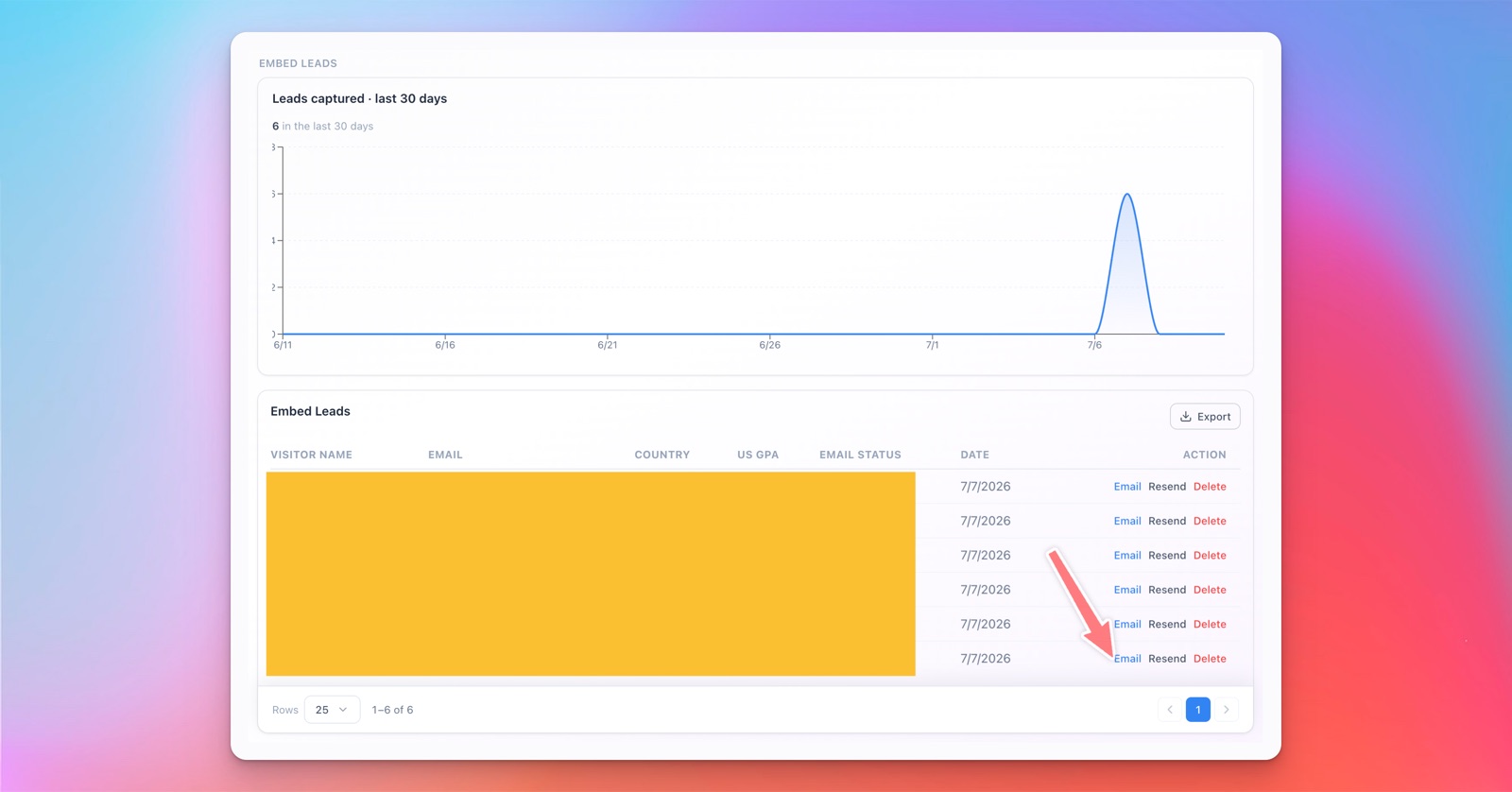 Leads captured from the embedded calculator, ready for outreach.
Why the AI Reader, and why in two places
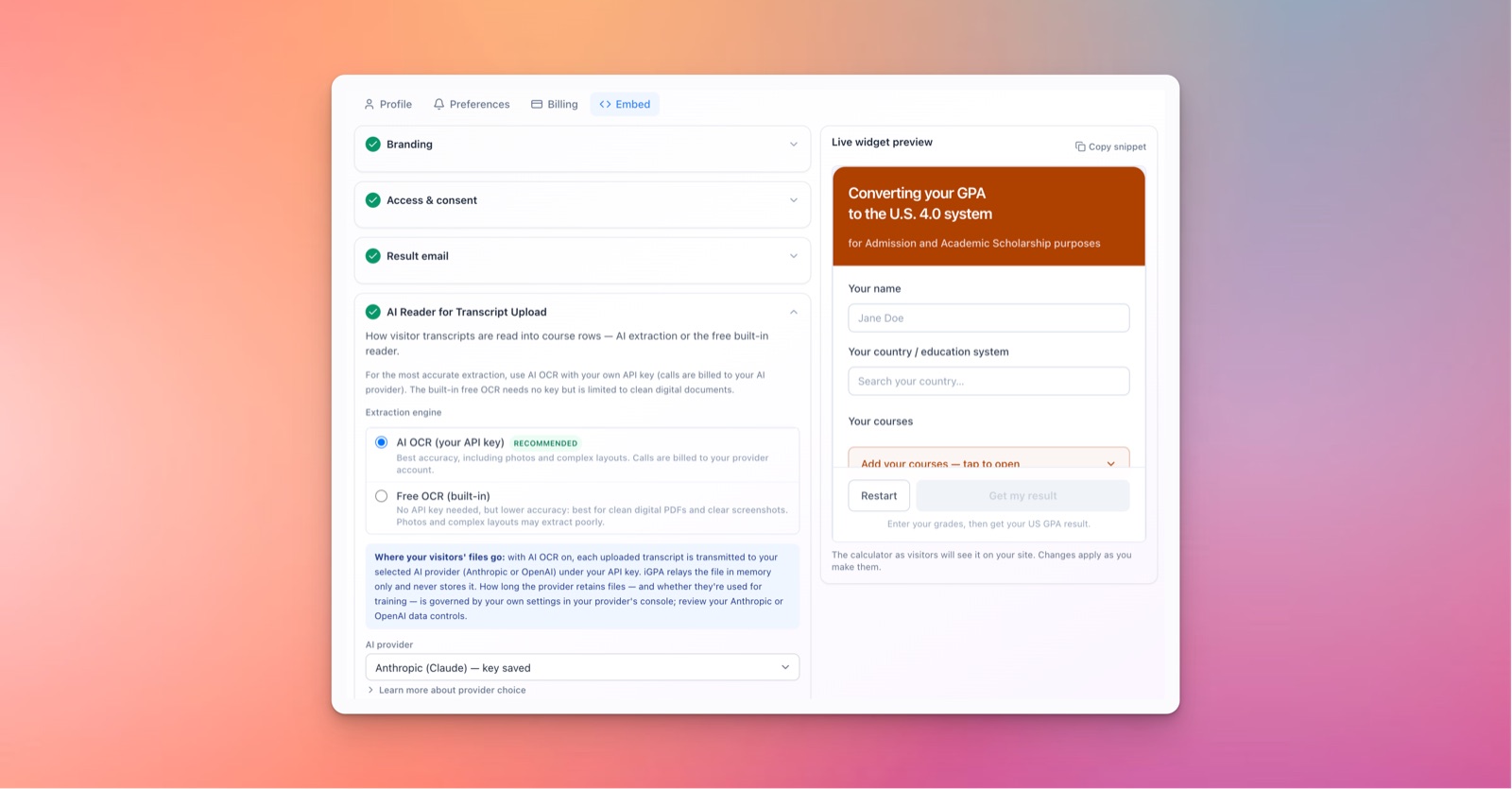
Transcripts have multiple courses with multiple marks, and a visitor working through them one by one on a phone screen will lose patience before they finish. If the experience isn't convenient, quick, and reliable, the leads never materialize. That's why we built the AI-assisted transcript reader into the embed calculator: a visitor uploads their transcript, the reader extracts the courses, and the calculator does the rest.
Once we integrated AI into the embed, the next question was obvious. At peak season, your admissions team is processing the same kinds of transcripts at a bigger volume. If the AI reader could speed up the visitor's experience, it could do the same for your evaluators. That's why we brought the same reader into the workspace as well.
The same AI-assisted GPA conversion experience is also integrated in the GPA Calculator for your team to use. So when the course list goes long, your team now can use AI to help fill the course rows in the calculator for the same reliable results in an even shorter prep time.
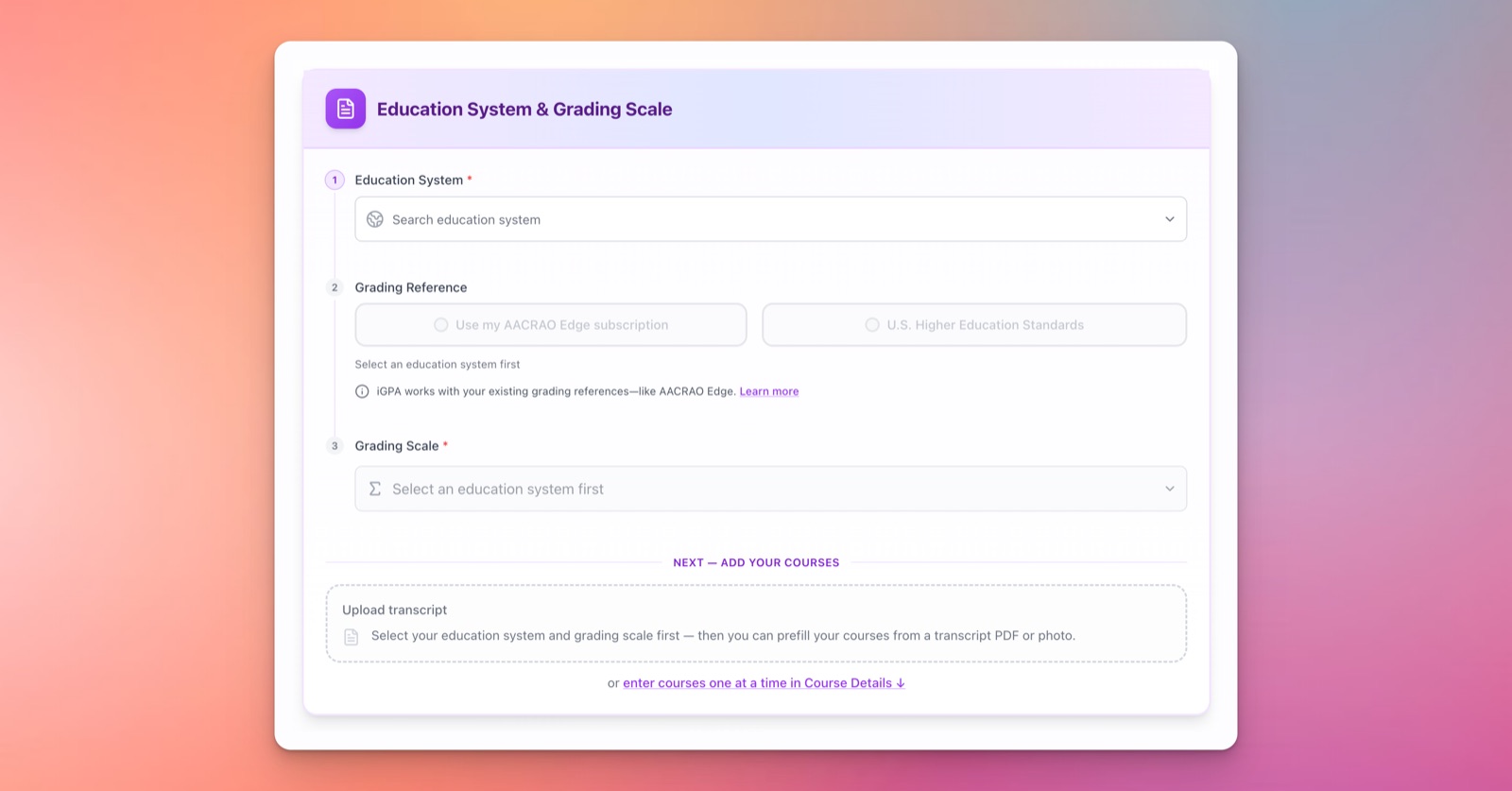 Choosing an education system and grading scale before entering courses.
Built with compliance in mind
All the AI features were built so institutions can adopt them as soon as they're ready, not after a months-long review.
The reader has two extraction paths. Free built-in OCR reads the transcript entirely in the visitor's own device memory. No API key needed, nothing sent anywhere. It's the right choice for clean digital PDFs and screenshots, and the safest possible default.
AI OCR hands the file to your own chosen provider, Anthropic or OpenAI, under your own API key. iGPA relays the file in memory and never stores it. What happens after that, how long the provider retains the file, whether it trains on it, is governed by your own account settings with that provider.
More institutions are settling on a preferred AI provider as part of a broader AI policy, and we wanted iGPA to fit inside that policy rather than around it. Your compliance office decides how uploaded transcripts get handled, the same way it already decides how every other AI tool on campus gets handled.
Either path, free or AI-assisted, iGPA never stores the file.
These features are live now.
If a stage is missing from your funnel, or the embed needs a setting we haven't thought of, we'd like to hear it. Good tools get better because the people using them say so.